Two buttons.
No screen.
A small aluminium box for a child, and an iPhone app for the parent who lives somewhere else. Press Record, talk, press again, and the parent hears it. When an answer arrives, Play glows.
Presence, not a phone call.
A call needs both people free at once, and a child on a video call often just goes quiet. A box that holds a voice until someone is ready to hear it fits how a child stays close to someone who isn't there.
For the child: the lights are the whole display
In the order a child meets them · then two that say “not now”For the parent: an iPhone app
- One conversation, both directions, the whole archive. Each message you send shows when it reached the box and when it was played.
- The box screen shows signal, last check-in, quiet hours and volume, and explains any fault in words. The child never has to.
- A push when the child sends something, and when the box hasn't checked in for hours.
The real thing, so far.
Built at a kitchen table over a few evenings in autumn 2026. Tap a photo to enlarge it.
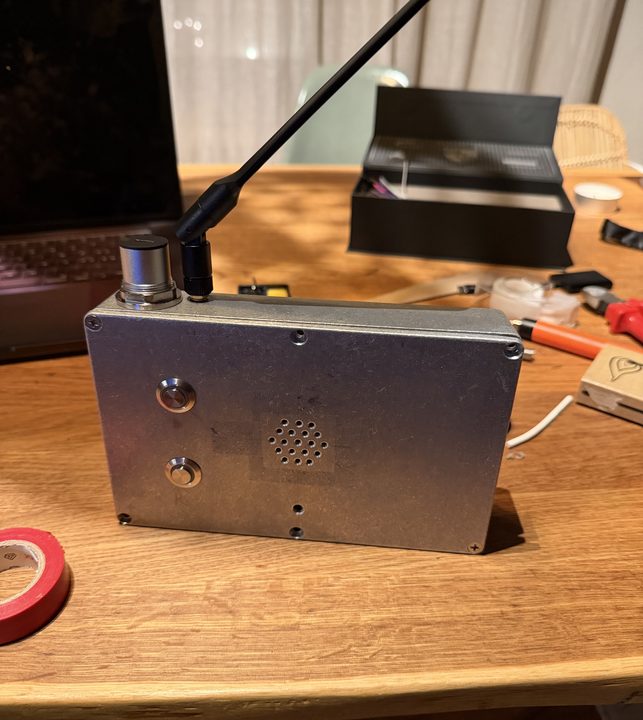
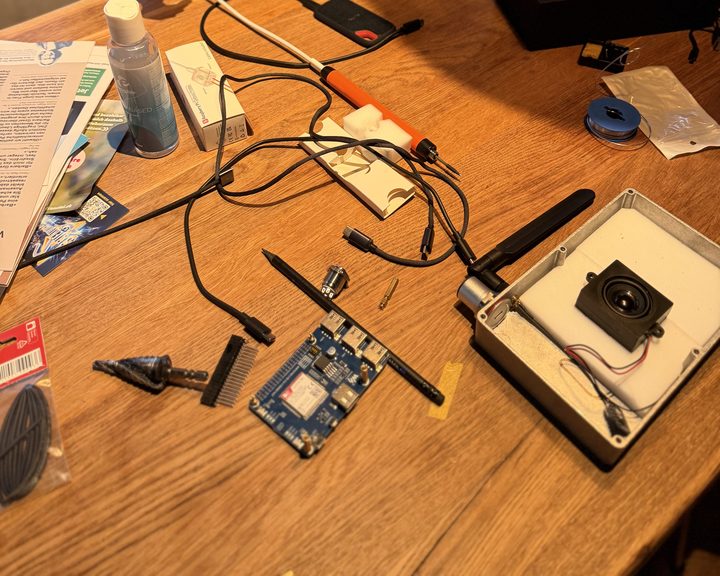
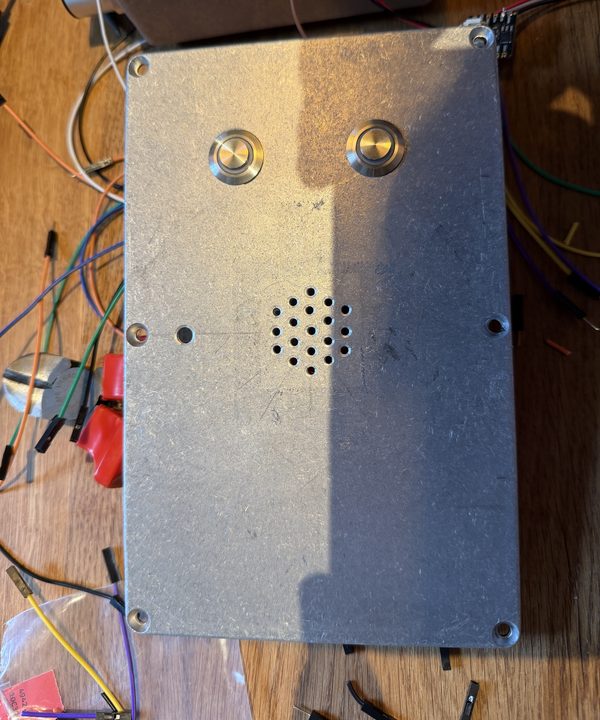
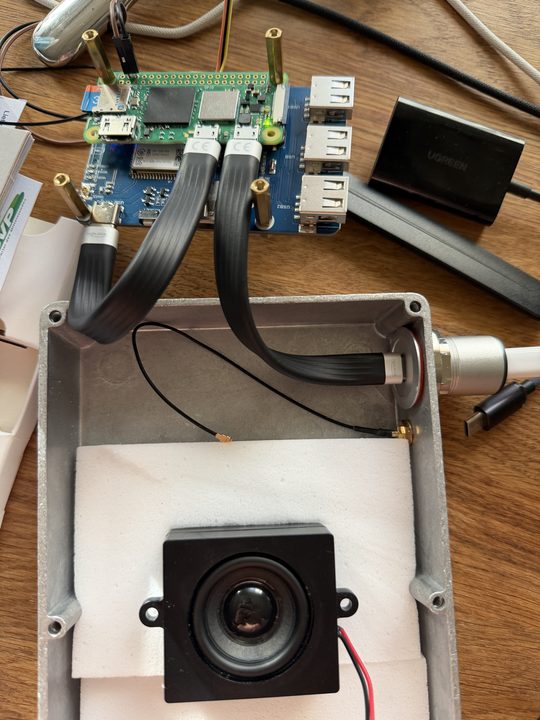
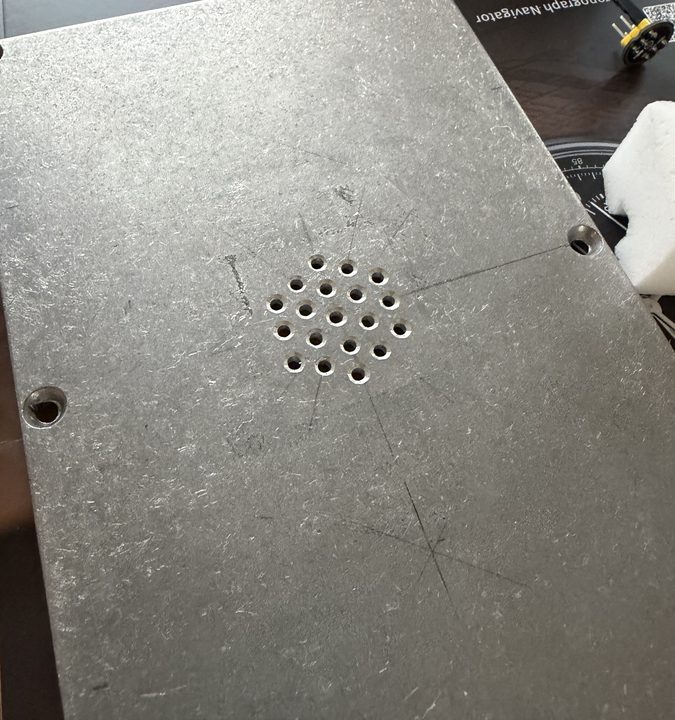
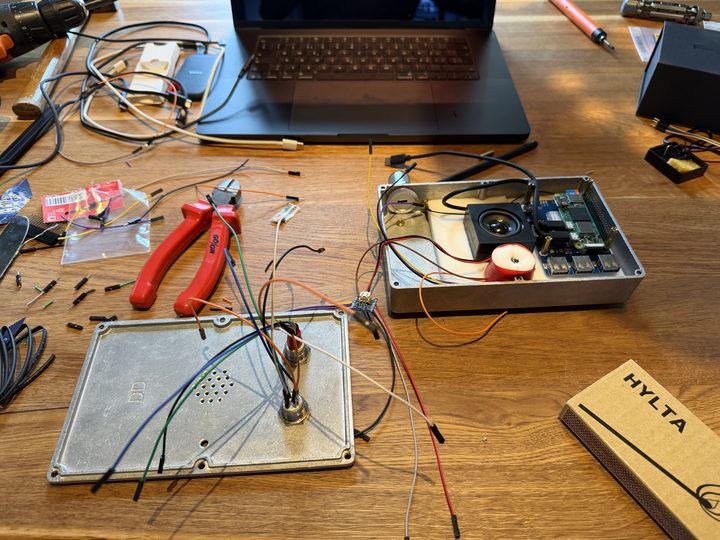
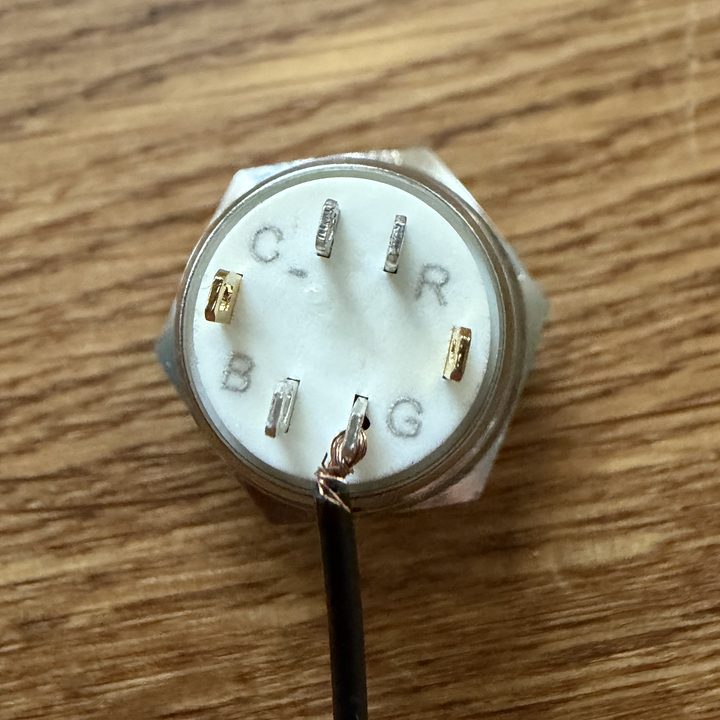
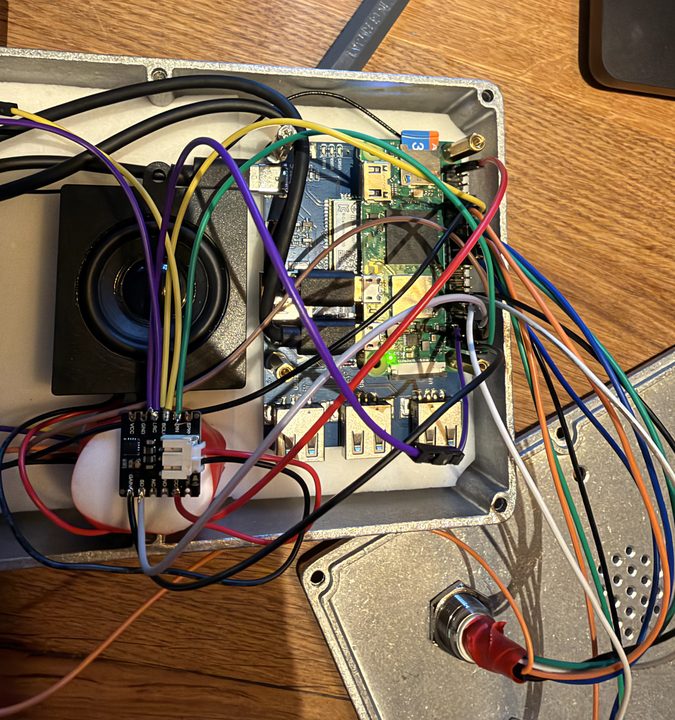
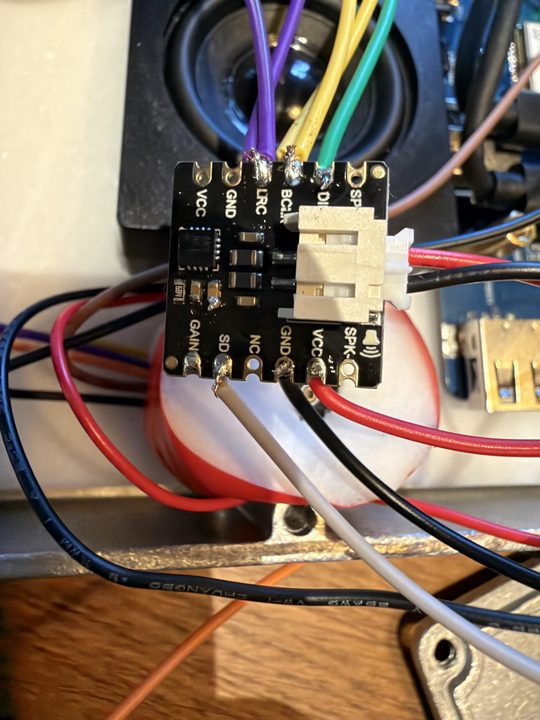
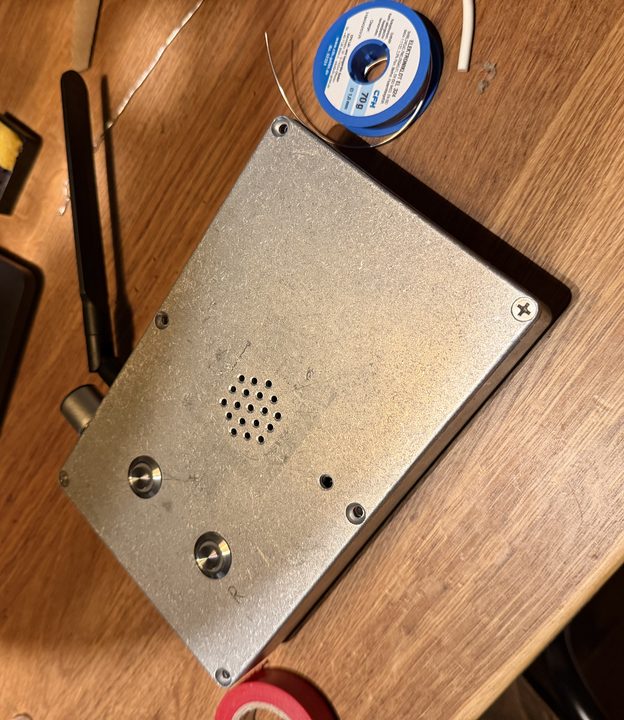
Every hole, every wire.
Drawn from the build photos and hardware/cad/layout.json. The box is a 1590DD-size die-cast clone, 188 × 119 × 37.5 mm. Clones differ by a millimetre or two, so measure yours before drilling.
Two 16 mm button holes (step drill to 15, file to 16), a 2 mm mic hole and a 19-hole grille over the speaker.
Power and radio come in through the top edge: a USB-C panel socket (22.3 mm hole) and the antenna's SMA bulkhead (6.5 mm).
The Pi sits on the LTE HAT on nylon standoffs; foam presses the speaker to the grille. Wires are soldered, because plugs shake loose in a bag.
The wire that matters most: the mic is powered from the Record button's red LED tab, so no software can turn the mic on with the light off.
Physical pin numbers, pin 1 at the SD-card end; dot colours are the wire colours used. Must match box/dadbox/hw/pi.py. 3.3 V logic, ≤16 mA per pin.
Pin map as a table
| Pin | Signal | Goes to | Wire |
|---|---|---|---|
| 2 | 5 V | Amp VIN | red |
| 4 / 6 | 5 V / GND | Power in from the USB-C tail · HAT joined from below | red / black, 0.5 mm² |
| 7 | GPIO 4 | Modem power key (HAT P4), from below | pin |
| 8 / 10 / 14 | UART | Debug probe (bench only) | probe cable |
| 9 | GND | Mic GND and L/R | black |
| 11 | GPIO 17 | Record red LED → mic VDD from its tab | orange |
| 12 | GPIO 18 · BCLK | Amp BCLK → mic SCK | yellow |
| 13 / 15 | GPIO 27 / 22 | Record green / blue | green / blue |
| 16 / 18 / 22 | GPIO 23 / 24 / 25 | Play red / green / blue | orange / green / blue |
| 20 / 30 | GND | Play / Record: switch + C− | black |
| 29 / 31 | GPIO 5 / 6 | Record / Play switch (pull-up, pressed = low) | white |
| 35 | GPIO 19 · LRCLK | Amp LRC → mic WS | purple |
| 36 | GPIO 16 | Amp SD (the sound driver owns it) | grey |
| 38 | GPIO 20 · DIN | Mic data | brown |
| 39 | GND | Amp GND | black |
| 40 | GPIO 21 · DOUT | Amp DIN | green |
Box, server, phone.
Three pieces that follow one written contract, docs/PROTOCOL.md. Only the box and the phone hold the key.
Mostly working, not finished.
As of the last bench session, 2 October 2026. The details are in docs/BUILD-LOG.md.
Off the shelf, in three rounds.
No 3D printing, no custom board. Buy one round, get it working, then buy the next. About CHF 395 for all three, tools included, from Swiss shops; any electronics shop has equivalents.
It talks on the table
- Pi Zero 2 W kit
- Two 16 mm RGB buttons
- I2S mic, I2S amp, speaker
- Debug probe, soldering iron
It reaches the server alone
- SIM7670G LTE HAT
- SMA pigtail and antenna
- Data SIM, ~CHF 6/month
It survives a school bag
- Die-cast aluminium box
- Step drill and hand tools
- USB-C panel socket
- Endurance microSD, wire, foam
About 2 days unplugged
- UPS module, three 18650 cells
- Designed, not built
Every part, with shop and price
| Qty | Part | Why | Shop | CHF |
|---|---|---|---|---|
| Phase 1 · The bench | ||||
| 1 | Raspberry Pi Zero 2 W starter kitboard, 16 GB microSD, OTG cable, header to solder | The computer | pi-shop.ch | 42.90 |
| 2 | 16 mm stainless button, RGB ring, 5 Vcommon cathode, resistors built in, fine at 3.3 V | The whole UI | bastelgarage.ch | 39.80 |
| 1 | DFRobot I2S MEMS micMSM261S4030H0; alt: INMP441 | Microphone | bastelgarage.ch | 8.90 |
| 1–2 | MAX98357A I2S amplifierget a spare | Drives the speaker | galaxus.ch | 9.95 |
| 1 | Seeed 5 W 4 Ω speaker, enclosed | Its own back volume | bastelgarage.ch | 7.90 |
| 1 | Raspberry Pi Debug Probe | Serial console | galaxus.ch | 12.70 |
| 1 | USB soldering iron, solder, flux · 5 V 2.5 A supply | Bench | any | ~12 |
| Phase 2 · The link | ||||
| 1 | Waveshare SIM7670G LTE Cat-1 HATa USB network interface; antenna included | Its own internet | bastelgarage.ch | 55.90 |
| 1 | SMA bulkhead → U.FL pigtail | Antenna through metal | reichelt.com | 7.32 |
| 1 | LTE antenna, SMA | Aluminium blocks radio | reichelt.com | ~9 |
| 1 | Data SIMDigital Republic Flat 1: unlimited at 1 Mbit/s | Plenty for voice | digitalrepublic.ch | 6/mo |
| Phase 3 · The box | ||||
| 1 | 1590DD-size die-cast aluminium enclosure188 × 119 × 37.5 mm; a clone, so measure it | Survives a school bag | any | ~13 |
| 1 | Step drill 5–23 mm, 2 / 2.7 mm drills, centre punch, deburrer, file | Every hole | hardware store | ~32 |
| 1 | Exsys EX-49222 USB-C panel socket, 30 cm tail | Power in | exsys.ch | 16.90 |
| 1 | Short micro-USB → USB-C lead | Pi to modem | galaxus.ch | ~12 |
| 1 | SanDisk High Endurance 32 GB | The card is the machine | brack.ch | 22.95 |
| 1 | Standoffs, VHB tape, EVA foam, tie mounts, silicone wire, heat-shrink, threadlocker, Kapton, feet | A harness that lasts | hardware store | ~72 |
| Optional · battery (designed, not built) | ||||
| 1 | Waveshare UPS Module 3S + 3× protected 18650 + 12.6 V charger + barrel jack | ~2 days unplugged | bastelgarage.ch | ~84 |
| Phases 1–3, tools included | ~395 | |||
Also needed: a Mac with Xcode and a multimeter. Running costs: the SIM, a Supabase project (we run Pro, about USD 25/month) and an Apple Developer account (USD 99/year). Outside Switzerland, only the SIM changes: pick one on a network the SIM7670G supports.
Step by step, with your kid.
Each stage ends with something that works. Tick steps as you go; the exact commands live in the repo files named in each stage.
0Try it with no hardware
An evening. Proves the idea and your setup.
⌄
Try it with no hardware
An evening. Proves the idea and your setup.
1The Pi on the bench
docs/DEV-PROCESS.md · box/setup/README.md
⌄
The Pi on the bench
docs/DEV-PROCESS.md · box/setup/README.md
2Buttons, mic and amp
Pin map below · hardware/schematics/WIRING.md
⌄
Buttons, mic and amp
Pin map below · hardware/schematics/WIRING.md
3The box software
box/README.md · box/DESIGN.md · box/deploy.sh
⌄
The box software
box/README.md · box/DESIGN.md · box/deploy.sh
4Your own server
server/README.md · docs/SERVER-CONCEPT.md
⌄
Your own server
server/README.md · docs/SERVER-CONCEPT.md
5LTE: its own internet
box/setup/README.md §6 · ADR 0026
⌄
LTE: its own internet
box/setup/README.md §6 · ADR 0026
6The parent's iPhone app
ios/README.md · ios/DESIGN.md
⌄
The parent's iPhone app
ios/README.md · ios/DESIGN.md
7Into the aluminium box
See the drawings · hardware/LAYOUT.md
⌄
Into the aluminium box
See the drawings · hardware/LAYOUT.md
8Seal it for the field
Working unattended, for a month
⌄
Seal it for the field
Working unattended, for a month
What went wrong, so you can skip it.
USB-C couplers work one way up
A socket-to-socket coupler passes only one CC wire, so the plug worked one way round. Use a socket with a cable tail.
A wire on GAIN killed an amp
Its ground landed on the neighbouring pin; afterwards it scratched even on silence. Check grounds before power.
overlayroot puts /data in RAM
The stock read-only overlay covers every mount. Without recurse=0, the “safe” partition lives in memory.
It isn't who it says it is
The SIM7670G shows up as Qualcomm 05c6:9330, and at DIALMODE=1 forwards nothing. Use 0.
Re-flashing reused a number
A fresh card restarted message numbering and the upload stuck. The server now tells the box where to continue.
Hold the power key low
GPIO 4 floats high at boot, and a long press turns the modem off. gpio=4=op,dl holds it low.
All of it, open.
DadBox/
├── docs/          brief · architecture · protocol · build log
│   └── decisions/ why each choice was made
├── hardware/      parts · sourcing · layout
│   ├── schematics/ wiring
│   └── cad/       layout and 1:1 drill templates
├── box/           Python service and simulator
├── server/        Supabase: SQL and one Edge Function
├── ios/           SwiftUI app
├── tools/         fake box, token minting, serial
└── site/          this page
Read in this order
docs/BRIEF.md— what and whydocs/PROTOCOL.md— the contracthardware/schematics/WIRING.mdbox/setup/README.md— the Pi, exactlydocs/BUILD-LOG.md— what actually happened
Built with Claude Code as a co-builder: it drives the box over SSH and asks a person only for what it can't do itself, like listening, looking at an LED or reading a meter.